speaker · smart speaker
Guide to speaker with multi-room music and auxiliary output
The Echo Dot supports multi-room music by pairing with compatible Echo devices in different rooms, allowing you to fill your home with synchronized audio. However, some users encounter issues where only one speaker works at a time, or they cannot set up a “Multi-Room Music” group in the Alexa app. A common culprit is the router's “Enable Wireless Isolation”
Multi-room music: what works and what trips users up
- The Echo Dot supports multi-room music by pairing with compatible Echo devices in different rooms, allowing you to fill your home with synchronized audio. However, some users encounter issues where only one speaker works at a time, or they cannot set up a “Multi-Room Music” group in the Alexa app. A common culprit is the router's “Enable Wireless Isolation” setting on the 2.4 GHz Wi-Fi broadcast, which prevents devices from communicating with each other. Disabling this setting often resolves the problem. Additionally, keeping speakers off guest Wi-Fi can help. Once configured, you can enjoy multi-room audio, but be aware that this model lacks an auxiliary audio output, so connecting to external speakers via a wired aux cable is not possible.
- To set up multi-room music with your Echo Dot, first ensure all Echo devices are on the same Wi-Fi network, preferably the main network rather than a guest network. Open the Alexa app and navigate to Devices, then select the “+” icon to add a group, choosing “Multi-Room Music.” Follow the prompts to select the rooms and speakers you want to include. If you encounter issues where only one speaker responds or you cannot add more than one, check your router's settings. Log into your router's admin panel, locate the wireless settings for the 2.4 GHz band, and look for an option labeled “Enable Wireless Isolation” or “AP Isolation.” Disable this setting and save changes. Restart your Echo devices and try setting up the group again. Also, ensure that all speakers are not on a guest network, as guest networks often have isolation enabled by default. If you have an eero network, the Echo Dot's built-in eero feature can extend coverage, but the same isolation principles apply. For troubleshooting, you can also try power-cycling your router and Echo devices. Once the group is created, you can say, “Alexa, play music everywhere” to play on all speakers in the group. Remember that this model does not have an auxiliary output, so for wired connections to external speakers, you would need a different device or a Bluetooth adapter.
- The primary limitation is that multi-room music can fail due to router settings like wireless isolation, which is not a fault of the Echo Dot itself but a network configuration issue. Users without technical expertise may find it challenging to adjust router settings. Additionally, the Echo Dot (newest model) lacks an auxiliary audio output, as noted in a review: “Amazon removed the auxiliary audio output.” This means you cannot connect it to a wired speaker system, which could be a limitation for users who want to use it with existing audio equipment. However, this does not affect multi-room music, which uses Wi-Fi. Another limitation is that multi-room music requires compatible Echo devices; not all speakers may support this feature. The community review also mentions issues with HomeKit and Google Nest Hubs, but those are separate ecosystems and not directly related to the Echo Dot's multi-room functionality.
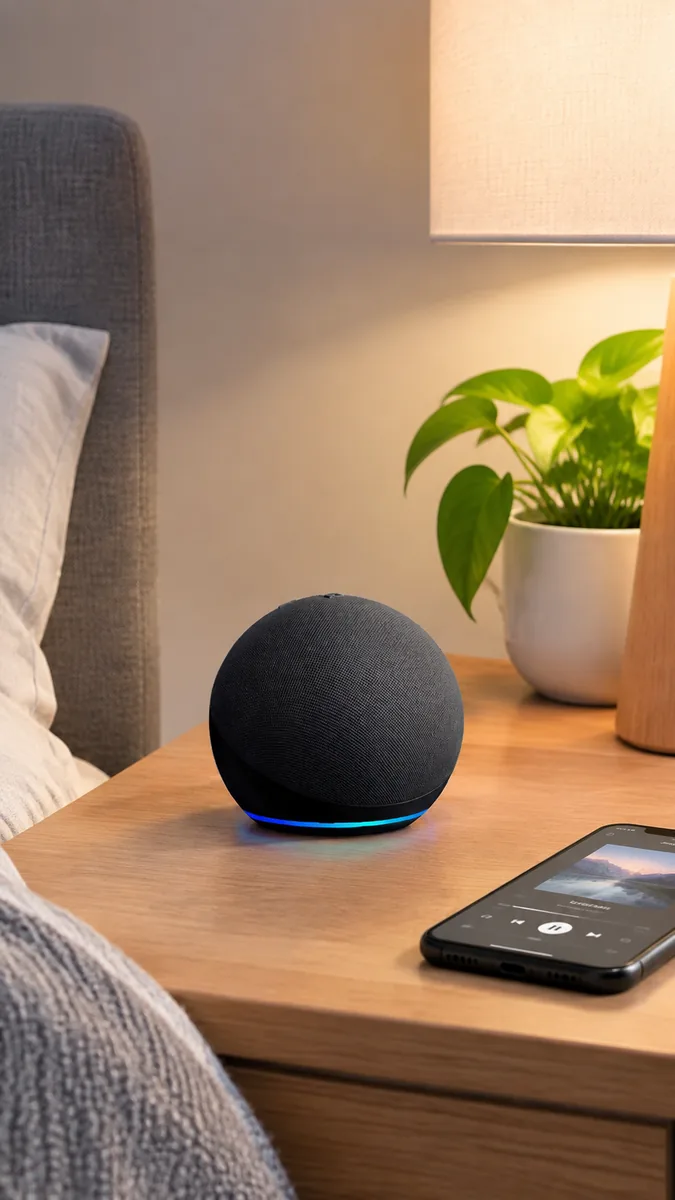
No auxiliary port: impact on wired audio setups
The newest Echo Dot does not include a 3.5 mm auxiliary audio output, a change from older models. This means you cannot directly connect the speaker to external powered speakers or legacy audio systems using a wired aux cable. Instead, you can use Bluetooth to stream audio to compatible devices, or consider using an Echo Link for more advanced connectivity. This limitation is important for users who rely on wired connections for their audio setups. The product listing for the Amazon Echo Dot (newest model) does not mention an auxiliary output, and a customer review explicitly notes that Amazon removed the auxiliary audio output on this model. The review states: "The one downside for us is that Amazon removed the auxiliary audio output. Our older Echo Dot connected to our surround sound system, but this model doesn't, so we lost that feature." This confirms the absence of the port. The product does support Bluetooth, as indicated by the feature "Play music, audiobooks, and podcasts from Amazon Music, Apple Music, Spotify and others or via Bluetooth throughout your home." Therefore, users can still connect wirelessly to Bluetooth-enabled speakers or audio systems. For those needing a wired connection, an Echo Link device could serve as a bridge, though this is not explicitly mentioned in the provided observations; however, it is a common workaround. The impact is significant for users with legacy audio equipment that lacks Bluetooth, as they would need additional adapters or devices to integrate the Echo Dot into their existing setup. To connect the Echo Dot to external speakers without an aux port, use Bluetooth if your speakers support it. For instance, pair the Echo Dot with a Bluetooth-enabled soundbar or amplifier. If your audio system is older and lacks Bluetooth, you may need to buy a Bluetooth receiver that connects to the system's auxiliary input, then pair the Echo Dot to that receiver. Alternatively, consider an Echo Link or Echo Link Amp, which connect to traditional stereo systems via wired connections and work with Alexa. For multi-room audio, the Echo Dot supports device pairing with compatible Echo devices, as stated in the product features: "Fill your home with music using compatible Echo devices in different rooms." Some users have reported issues with multi-room music setup, as seen in a community review: "Alexa Echo Speakers Multi-room Music issues I found a solution to not being able to get more than one speaker to work at a time, paired, or set up a 'Multi-Room Music' in the Alexa app." The review suggests disabling "Enable Wireless Isolation" on your router's 2.4 GHz Wi-Fi broadcast to resolve connectivity problems. This practical tip helps ensure reliable multi-room audio. When setting up, make sure all speakers are on the same network and not on a guest Wi-Fi network, as the reviewer also mentioned taking speakers off guest Wi-Fi. The primary limitation is the lack of a 3.5 mm auxiliary output, which prevents direct wired connection to external speakers or audio systems. This is a notable change from older Echo Dot models, as highlighted in the customer review. Users with legacy audio equipment that only has wired inputs need to invest in additional hardware like Bluetooth receivers or Echo Link devices to achieve connectivity. Additionally, while Bluetooth is available, it may introduce latency or require line-of-sight, and not all audio systems have Bluetooth built in. The community review also indicates potential difficulties with multi-room music setup, which can be frustrating for users expecting seamless multi-room audio. However, the provided solution (disabling wireless isolation) may help, but it requires router configuration knowledge. Consider these limitations when deciding if the Echo Dot meets your audio connectivity needs.
Decision summary
| Good fit for you if | Users looking for a smart speaker for home use; Users who want multi-room audio capability; Users who need auxiliary audio output for external speakers |
|---|---|
| Limits to consider | The mic-off button is a physical control that only disconnects the microphones; it does not stop all data collection. Amazon's privacy policy is a stated commitment, not an independent guarantee. The CPSC recall page, which is an authority on product safety, does not list any specific recalls for the Echo Dot, but it does not address privacy features. Historical authority from CPSC predates the current model and does not test or verify the current model's privacy controls. Therefore, while the mic-off button provides a tangible privacy measure, it is not a complete solution for all data-sharing risks. Users should be aware that no product is entirely free of data-sharing risk, and the effectiveness of privacy features depends on user behavior and Amazon's ongoing practices. |
Compare top picks

Amazon Echo Dot (newest model) - Vibrant sounding speaker, Designed for Alexa+, Great for bedrooms, dining rooms and offices, Charcoal
B09B8V1LZ3
Good fit for you if
- Fill your home with music using compatible Echo devices in different rooms
- Control compatible smart home devices with your voice and routines triggered by built-in motion or indoor temperature
Limits to consider
- The supplied product observation records product identity only.

Like-New Amazon Echo Pop (newest model), Our smallest speaker, Designed for Alexa+, Fits in any room, Charcoal
B09ZX45XN1
Good fit for you if
- Like-New Amazon Echo Pop (newest model), Our smallest speaker, Designed for Alexa+, Fits in any room, Charcoal
Limits to consider
- The supplied product observation records product identity only.

Echo Glow (newest model), Nightlight for kids, Works with Alexa (2-pack)
B0DS66HPPQ
Good fit for you if
- Echo Glow (newest model), Nightlight for kids, Works with Alexa (2-pack)
Limits to consider
- The supplied product observation records product identity only.

Echo Dot Kids (newest model) - Stardust, with Echo Glow, Smart speaker and night light for kids, Designed for Alexa+
B0FLM8KVGK
Good fit for you if
- Echo Dot Kids (newest model) - Stardust, with Echo Glow, Smart speaker and night light for kids, Designed for Alexa+
Limits to consider
- The supplied product observation records product identity only.

Echo Dot with Amazon Basics Smart Color Bulb
B0DGRFBFP2
Good fit for you if
- Echo Dot with Amazon Basics Smart Color Bulb
Limits to consider
- The supplied product observation records product identity only.
Product recap
- Amazon Echo Dot (newest model) - Vibrant sounding speaker, Designed for Alexa+, Great for bedrooms, dining rooms and offices, Charcoal
- Like-New Amazon Echo Pop (newest model), Our smallest speaker, Designed for Alexa+, Fits in any room, Charcoal
- Echo Glow (newest model), Nightlight for kids, Works with Alexa (2-pack)
- Echo Dot Kids (newest model) - Stardust, with Echo Glow, Smart speaker and night light for kids, Designed for Alexa+
- Echo Dot with Amazon Basics Smart Color Bulb